Framework Desktop
Wednesday, Feb 11, 2026 · 1316 words · approx 4 mins to readI like to collect at least one manifestation of the physical products that I’ve worked on in my career, but having worked on AMD’s Strix Halo high-performance consumer APU as the incumbent lead architect for its GPU, it’s been a potentially expensive quest to collect one of those given the comparative performance level and types of products it tends to find itself in. I don’t get sent the hardware I help to make as a matter of course any more.
Known better (and infamously) as the AMD Ryzen AI Max+ line of APUs, Strix Halo has been very popular in mini PCs in particular, especially as the AI boom keeps booming and people look for relatively cost-effective ways to develop and run local models, and the most well-known of those has to be the Framework Desktop.
The Desktop follows Framework’s signature philosophical focus on user serviceability and future upgradeability that it pioneered with its laptop products, and while Framework can’t apply the full treatment of that approach to the Desktop because AMD have chosen to mandate the LPDDR5X DRAM devices be soldered next to the SoC, almost everything else about it is something the user can work with.
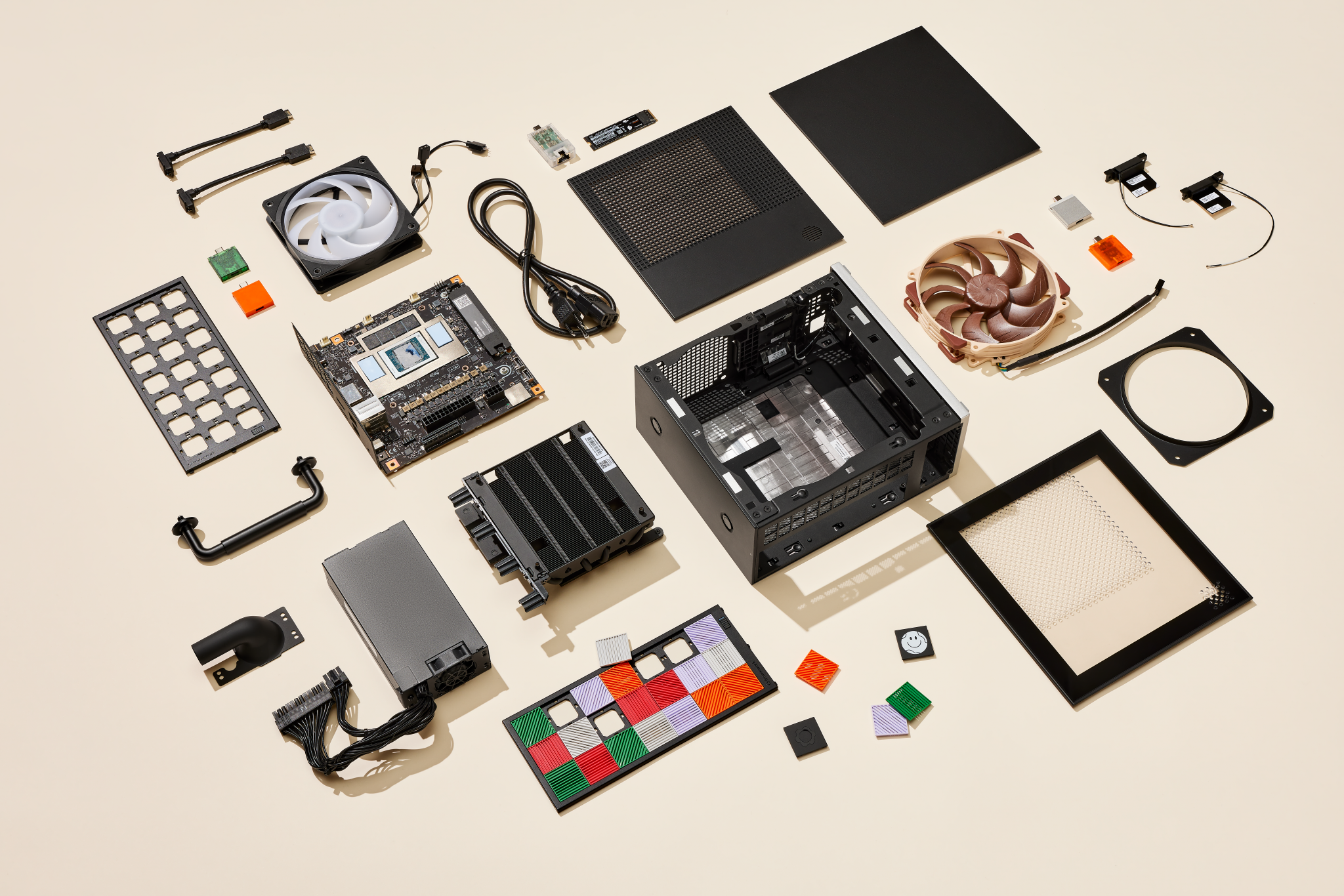
Framework Desktop by Framework Computer, CC BY 4.0
They publish open source CAD files for parts of the chassis and mainboard and also the source for the Desktop’s embedded controller firmware, and make individual components of the Desktop available for users to buy separately.
It’s a fairly unique way to sell and support a computer in this day and age and I’m a fan of how they do it. That means I’d planned to buy one at some point next year when either the price had come down in the face of the AI boom maybe softening, or on a whim at full price if I did well with next year’s bonus, as a way to get one of the most exciting things I’ve worked on for my collection.
However the gods of enchanted electrified sand have decided to smile upon me, allowing me get my hands on one sooner than than planned. It’s very cool.
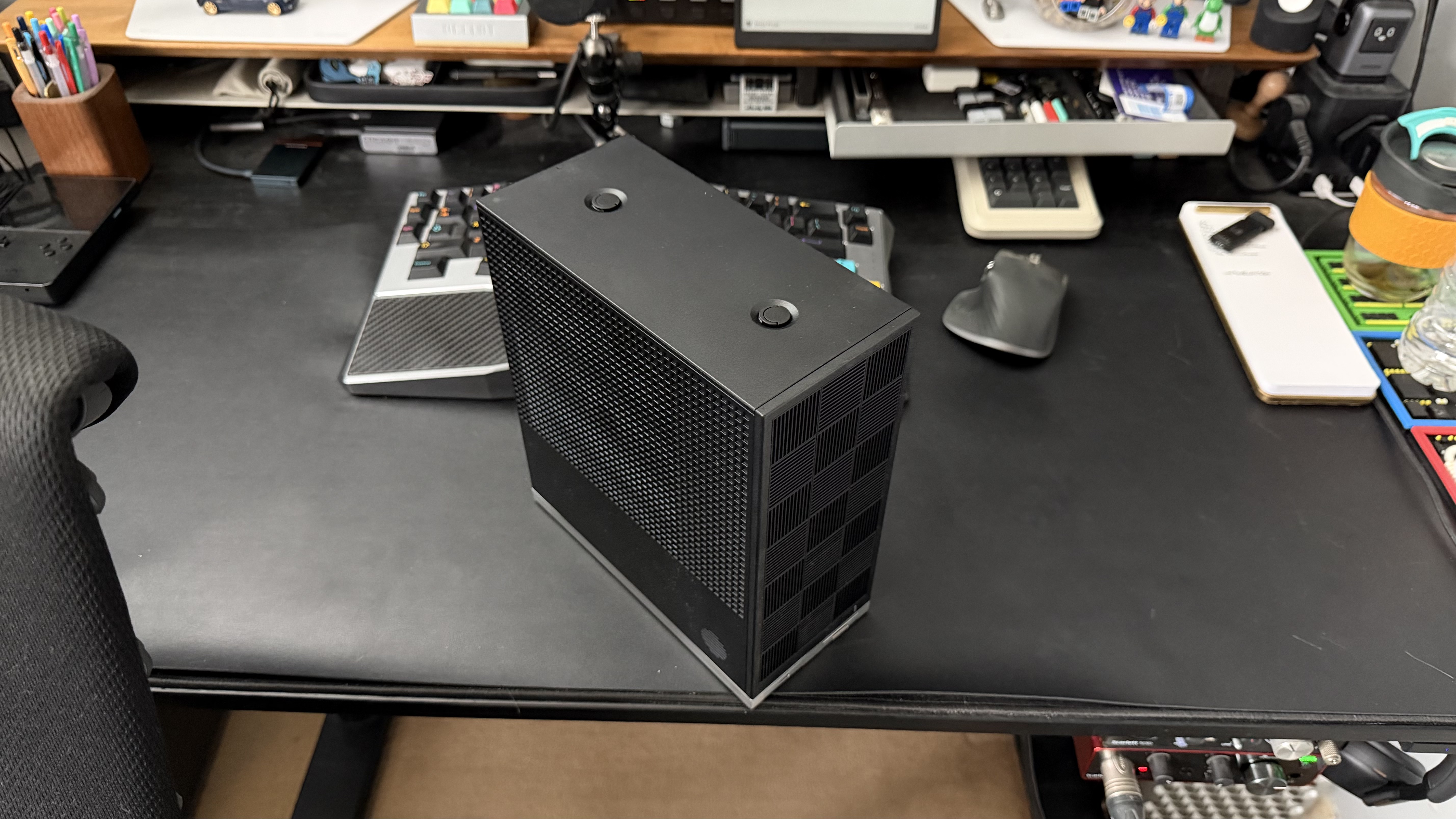
Framework Desktop on my desk top
The case has an internal volume of just 4.5L, making it half the size of the FormD T1 I used to build Rocket, my latest workstation. The guts of that internal volume are taken up by the heatsink and fan on top of the APU, and the tiny PSU. Unlike the T1, there’s no room inside the Framework Desktop case for a full-sized discrete GPU, and that’s the main compromise the Desktop makes versus larger systems.
Strix Halo’s GPU—especially the fully enabled one in the AI Max+ 395, 392 and 388 variants of the APU—means that pairing it with a discrete GPU is almost completely unnecessary for all of the sensible uses of the product. If you find yourself lusting after a Ryzen AI Max+ of any kind alongside a discrete GPU, you’re probably actually interested in building another kind of computer.
The whole system topology is so well balanced that you could reasonably argue that the GPU isn’t even the star of the show. The CPU cores in the two CCD chiplets are the same fully-featured high-performance Zen5 cores you find in AMD’s modern desktop processors, just without the 3D-stacked L3 cache you find on some of those (like the Ryzen 9 9950X3D in Rocket).
They clock a little lower by default than the equivalent cores in something like a Ryzen 9 9950X, but because of the 256-bit wide LPDDR5X subsystem and high-frequency 32B bi-directional link between each CCD and the IOD (the larger chip where the GPU also lives), the CPU cores have access to a lot more memory bandwidth than almost any other consumer-focused computing platform.
So if your common CPU workloads are memory bandwidth bound in any way, where they don’t fit nicely into the 1MiB per-core L2—since on Strix Halo CPU memory accesses aren’t cached by the large L3 on the IOD—then the relatively large amount of aggregate memory bandwidth can be a real boon.
Framework pair the highest-end version with 128GiB of LPDDR5X-8000 which makes that variant very attractive for certain kinds of uses, but while mine has that top-spec memory configuration, I’m not sure what to really use it for yet. I’ve already built and use Rocket, and in my testing I don’t make enough use of the extra memory bandwidth in my heavier workloads to make the CPU performance truly outshine the Ryzen 9 9950X3D in that system. My workloads don’t tend to fall too far out of cache enough, and be bandwidth bound when they do, to make the bandwidth surplus overcome the clock deficit.
And with PCIe gen4 running the NVMe I/O on Strix Halo, the peak storage performance can’t outstrip the gen5 storage on Rocket either.
One option would be to sell Rocket and move my workstation use entirely to the Framework, or move a single aspect of my use of Rocket to it. I’ve been testing it out in that mode recently, running a reasonable facsimile of my desktop environment here on Rocket and using it for the primary heavier things I do on this machine while enjoying the overall package of performance it provides.
It’s truly excellent as a small, whisper-quiet, high-performance workstation system if you don’t need gen5 NVMe or a discrete GPU to underpin the work that you do, especially if you install a Phanteks T30-120 fan which fits comfortably.
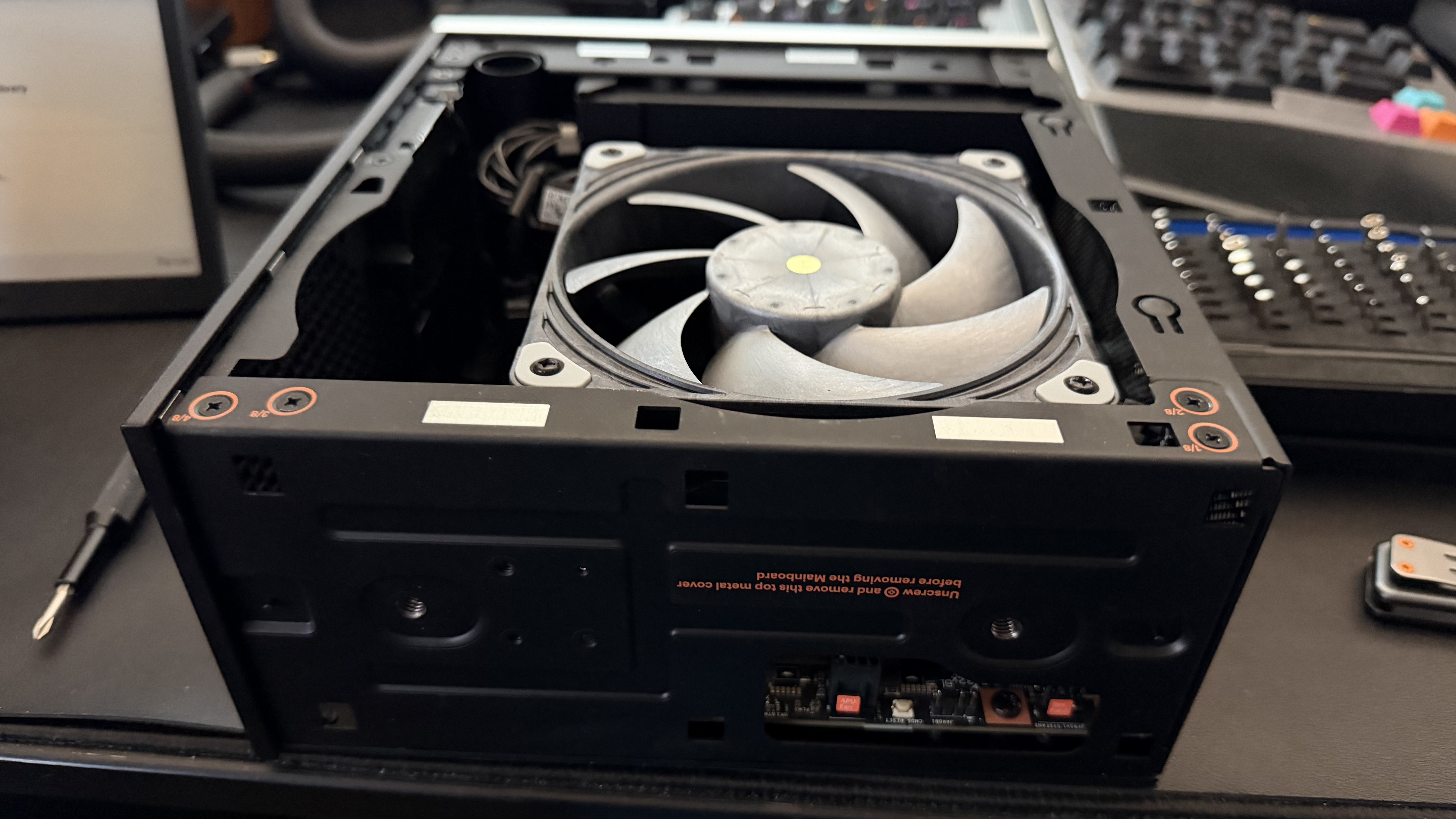
Framework Desktop with Phanteks T32-120 installed
Installing the T30-120 is very simple, as per Framework’s philosophy of making their computers very user serviceable. Pop the top and side panel off, remove four screws holding the stock fan to the heatsink assembly underneath the fan, take the fan out, and then pop the T30-120 in retaining it with the same screws you just removed.
One attention to detail I really love is visible in the picture above: the chassic cutout near the mainboard to allow you to plug the fan header in without having to get your fingers or pliers or anything down into the small gap between the fan edge and the chassis side span.
I’ll revisit the Desktop here when I’ve finally worked out what it should do as part of my setup.
Framework Desktop component image taken from Framework Computer’s GitHub on Wednesday 11th February, 2026. Licensed under the CC BY 4.0 license.